Reverse Engineering Harvester with Ghidra and Codex - Part 6: Timers
Series: Reverse Engineering HarvesterThis review is part of the Reverse Engineering Harvester series, where I document my journey of reverse engineering the 1996 DOS game Harvester to re-implement its game engine in ScummVM.
- ← Reverse Engineering Harvester with Ghidra and Codex - Part 5: Debugging Audio Issues
- Reverse Engineering Harvester with Ghidra and Codex - Part 6: Timers
- → Reverse Engineering Harvester with Ghidra and Codex - Part 7: Demo Support
Article 6 of 7 in this series.
The Harvester game engine supports time-based functionality through the same scripting system that drives room transitions, object interactions, NPC state changes, and cutscenes.
While re-implementing the engine, one of the main challenges has been figuring out how to debug those systems in a way that gives future Codex prompts useful context. Logs are great after something fires, but timers have a different failure mode: you often need to know whether a timer exists, whether it is currently enabled, how much time is left, and what command chain it will run before it expires.
That is especially important in Harvester because timers are not just visual delays. They can damage the player, monsterfy NPCs, advance dialogue staging, unlock doors, and trigger authored room events.
Timer records in HARVEST.SCR
In part 4 I covered the command-opcode side of the script. Timers sit beside those COMMAND records as their own world records. Once HARVEST.SCR is XOR-decoded, a timer looks like this:
1
initialSeconds TIMER timerName roomName actionTag enabled looping global
For example:
1
2
3
133 TIMER "ACID_TIMER3" "EYEHALL" "HURT_PC_ACIDA" "F" "F" "T"
266 TIMER "ACID_TIMER2" "EYEHALL" "HURT_PC_ACIDB" "F" "F" "T"
400 TIMER "ACID_TIMER"  "EYEHALL" "KILL_PC_ACID"  "F" "F" "T"
The fields map cleanly to the runtime data structure:
| Field | Meaning |
|---|---|
initialSeconds | Countdown length in seconds. The runtime schedules it against a centisecond clock by multiplying this value by 100. |
timerName | Stable lookup key. SET_TIMER and KILL_TIMER refer to this name. |
roomName | Room/scope key. Room setup materializes timer entities whose room matches the current room. |
actionTag | Command-chain entry point to execute when the timer expires. |
enabled | T if the timer starts enabled when the room is built. |
looping | T if the timer should restart after firing. The decoded script I checked currently uses one-shot timers. |
global | T if the live timer entity should be preserved across room transitions. |
The decoded script contains 76 real TIMER records. Most are initially disabled and are started by a nearby COMMAND, but a few start enabled as part of room setup.
At runtime, these timers are materialized as invisible runtime entities. That turned out to be an important detail: timer state is not only a field in the parsed script record. A live countdown exists in the room entity list, and global timers can survive room changes by preserving that live entity instead of destroying it with the rest of the room.
When a timer entity expires, the room loop records the expired timer name, resolves the backing TimerRecord, and dispatches the record’s actionTag. In other words, the timer name is just the lookup key. The action is whatever command chain is stored in the timer record.
Starting and stopping timers
Script command chains control timers with SET_TIMER and KILL_TIMER:
1
2
3
COMMAND "SET_HALL_TIMER"   "SET_TIMER" "ACID_TIMER"  "ON" "" "KILL_TRIG_TIMER"
COMMAND "SET_HALL_2TIMER"  "SET_TIMER" "ACID_TIMER2" "ON" "" "SET_HALL_2TIMER2"
COMMAND "SET_HALL_2TIMER2" "SET_TIMER" "ACID_TIMER3" "ON" "" ""
SET_TIMER ... ON enables a timer. If the timer was previously disabled, the current value is reset back to the initial value. SET_TIMER ... OFF and KILL_TIMER disable it.
The subtle part is that timer commands often live in longer command chains. They are not isolated API calls. Starting a timer might be one step in a room-entry sequence, and the timer’s expiry might run another command chain that branches on flags, shows text, adjusts HP, or changes rooms.
 In the
 MAINHALL with DEBUG_TIMERS and DEBUG_ROOM toggled
A good example is when you enter the MAINHALL on Disc 3, because it uses multiple global timers with staggered deadlines.
1
2
3
4
5
6
7
8
9
133 TIMER "ACID_TIMER3" "EYEHALL" "HURT_PC_ACIDA" "F" "F" "T"
266 TIMER "ACID_TIMER2" "EYEHALL" "HURT_PC_ACIDB" "F" "F" "T"
400 TIMER "ACID_TIMER"  "EYEHALL" "KILL_PC_ACID"  "F" "F" "T"

COMMAND "HURT_PC_ACIDA"   "KILL_TIMER" "ACID_TIMER3" "" "" "HURT_PC_ACID"
COMMAND "HURT_PC_ACIDB"   "KILL_TIMER" "ACID_TIMER3" "" "" "HURT_PC_ACID"
COMMAND "HURT_PC_ACID"    "CHECK_FLAG" "CLEANED_CLOTHES" "" "HURT_PC_ACID_1" ""
COMMAND "HURT_PC_ACID_1"  "SHOW_TEXT"  "ACID_TEXT2" "" "" "HURT_PC_ACID_2"
COMMAND "HURT_PC_ACID_2"  "ADJ_HP"     "-7" "" "" ""
The first two timers are warning/damage stages. When they expire, they enter HURT_PC_ACID, which checks the CLEANED_CLOTHES flag. If the clothes have not been cleaned, the game shows acid text and subtracts 7 HP. If the flag has been set, the branch target is empty and the command chain stops.
The last timer, ACID_TIMER, is the hard fail path:
1
400 TIMER "ACID_TIMER" "EYEHALL" "KILL_PC_ACID" "F" "F" "T"
Cleaning the clothes is itself just another scripted interaction. Using the money on the cloakroom attendant starts CLEAN_CLOTHES, which shows text, sets the flag, removes the money, and disables the lethal acid timer:
1
2
3
4
5
6
7
8
USEITEM "BARCASHFIVE" "CLOAKROOM" "CLOAK_ATND" "CLEAN_CLOTHES"

COMMAND "CLEAN_CLOTHES"   "SHOW_TEXT" "CLEANED_CLOTHS" "" "" "CLEAN_CLOTHES_1"
COMMAND "CLEAN_CLOTHES_1" "SET_FLAG"  "CLEANED_CLOTHES" "T" "" "CLEAN_CLOTHES_2"
COMMAND "CLEAN_CLOTHES_2" "DELETE"    "CLOAKROOM" "BARCASHFIVE" "" "CLEAN_CLOTHES_3"
COMMAND "CLEAN_CLOTHES_3" "DELETE"    "INVENTORY" "BARCASHFIVE" "" "CLEAN_CLOTHES_4"
COMMAND "CLEAN_CLOTHES_4" "SET_TIMER" "ACID_TIMER" "OFF" "" "CLEAN_CLOTHES_5"
COMMAND "CLEAN_CLOTHES_5" "KILL_TIMER" "ACID_TIMER" "" "" ""
This is the kind of script graph that is hard to reason about from static records alone. Some of the authored data is also a little odd: both intermediate acid chains kill ACID_TIMER3, even though the second one is entered by ACID_TIMER2. Watching the live timers makes it much easier to tell whether that is harmless authored data, a reimplementation bug, or a broken state sync.
Adding a timer overlay
To make this easier to debug, I asked Codex to add a console command that would render active timers directly over the room:
the game manages timers periodically. I want to introduce a DEBUG_TIMERS command that when enabled it will overlay text on the screen that will be the timer name, starting value, current value, action to take when timer expires.
If multiple timers are active, they should appear one after the other. Draw this near the middle-left of the screen. It should be white text on a black background
Instead of wiring this up myself, Codex was able to do it in about 5 minutes.
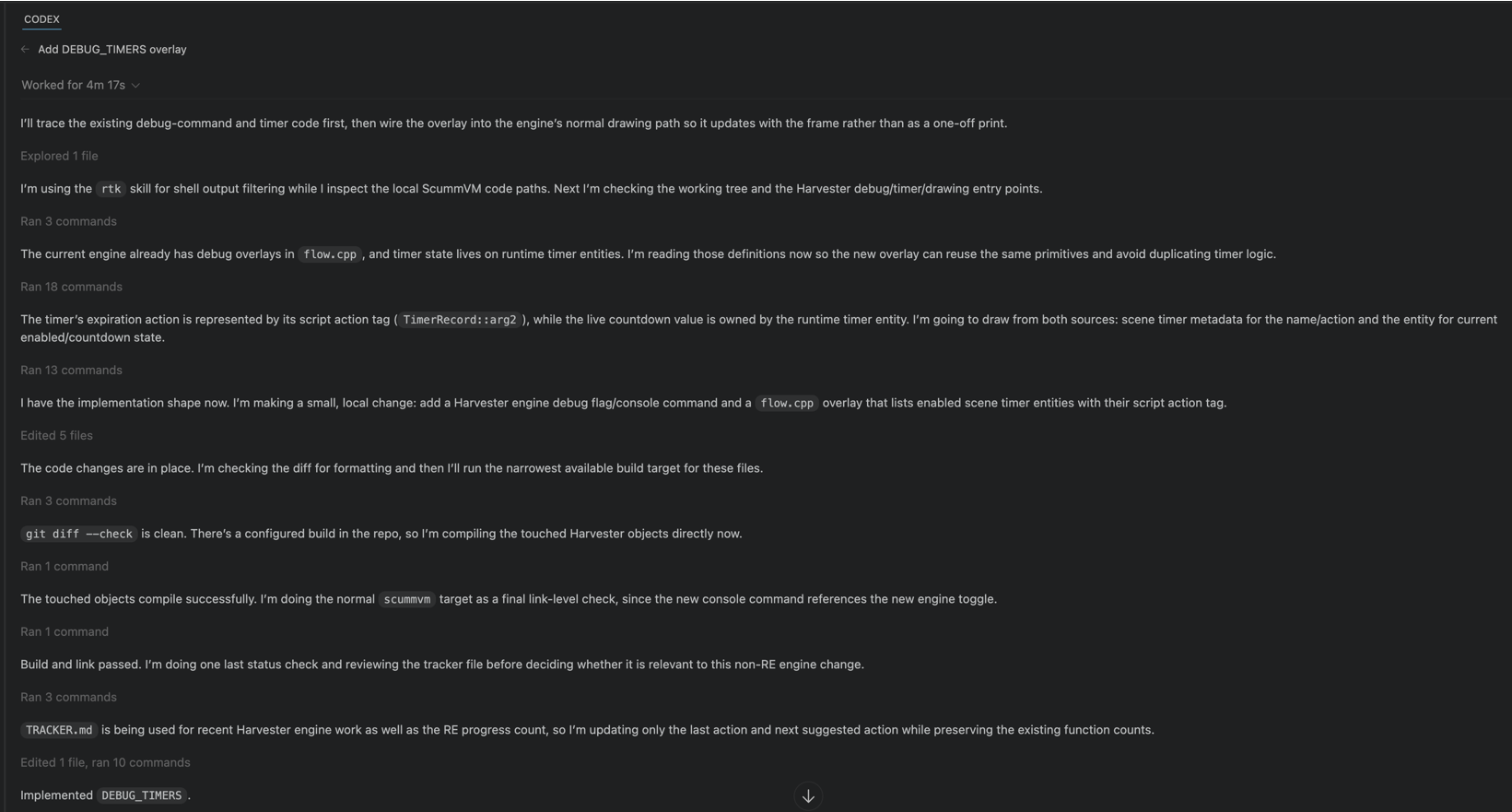
The implementation is intentionally small:
DEBUG_TIMERStoggles a boolean on the Harvester engine.- The room renderer checks that boolean after drawing the room and other debug overlays.
- The overlay walks the known timer records, finds matching live timer entities, filters out disabled timers, and formats each row as
name start=initial current=current action=tag. - Text is drawn near the middle-left of the screen using white text over a black rectangle.
This means the overlay is showing live runtime state, not just parsed script data. If a timer is missing from the live entity list, disabled, or no longer counting down, it disappears.
The label format is deliberately boring:
1
2
3
ACID_TIMER3 start=133 current=128 action=HURT_PC_ACIDA
ACID_TIMER2 start=266 current=261 action=HURT_PC_ACIDB
ACID_TIMER start=400 current=395 action=KILL_PC_ACID
That is exactly the information I need while debugging: what is active, how long it has left, and what will happen when it fires.
Having a visual indicator for timer progress, and whether those timers were triggering the correct actions, made it much easier to discover some more obscure bugs.
These log lines are all coming from the game’s scripts. In this run, the clothes have been cleaned, so the acid timers still reach their action chains, but the CLEANED_CLOTHES flag prevents the HP penalty path from continuing.
1
2
3
4
5
6
7
8
9
10
11
12
13
14
15
Harvester: action tag 'CLEAN_CLOTHES' step=0 tag='CLEAN_CLOTHES' opcode='SHOW_TEXT' args=['CLEANED_CLOTHS','','','CLEAN_CLOTHES_1']
Harvester: action tag 'CLEAN_CLOTHES_1' step=0 tag='CLEAN_CLOTHES_1' opcode='SET_FLAG' args=['CLEANED_CLOTHES','T','','CLEAN_CLOTHES_2']
Harvester: action tag 'CLEAN_CLOTHES_1' SET_FLAG 'CLEANED_CLOTHES' 0 -> 1 existed=1 changed=1
Harvester: action tag 'CLEAN_CLOTHES_1' step=1 tag='CLEAN_CLOTHES_2' opcode='DELETE' args=['CLOAKROOM','BARCASHFIVE','','CLEAN_CLOTHES_3']
Harvester: action tag 'CLEAN_CLOTHES_1' step=2 tag='CLEAN_CLOTHES_3' opcode='DELETE' args=['INVENTORY','BARCASHFIVE','','CLEAN_CLOTHES_4']
Harvester: action tag 'CLEAN_CLOTHES_1' step=3 tag='CLEAN_CLOTHES_4' opcode='SET_TIMER' args=['ACID_TIMER','OFF','','CLEAN_CLOTHES_5']
Harvester: action tag 'CLEAN_CLOTHES_1' step=4 tag='CLEAN_CLOTHES_5' opcode='KILL_TIMER' args=['ACID_TIMER','','','']

Harvester: timer command 'ACID_TIMER3' step=0 tag='HURT_PC_ACIDA' opcode='KILL_TIMER' args=['ACID_TIMER3','','','HURT_PC_ACID']
Harvester: timer command 'ACID_TIMER3' step=1 tag='HURT_PC_ACID' opcode='CHECK_FLAG' args=['CLEANED_CLOTHES','','HURT_PC_ACID_1','']
Harvester: timer command 'ACID_TIMER3' flag 'CLEANED_CLOTHES' -> 1

Harvester: timer command 'ACID_TIMER2' step=0 tag='HURT_PC_ACIDB' opcode='KILL_TIMER' args=['ACID_TIMER3','','','HURT_PC_ACID']
Harvester: timer command 'ACID_TIMER2' step=1 tag='HURT_PC_ACID' opcode='CHECK_FLAG' args=['CLEANED_CLOTHES','','HURT_PC_ACID_1','']
Harvester: timer command 'ACID_TIMER2' flag 'CLEANED_CLOTHES' -> 1
The overlay was also useful outside this one hallway. Some NPC state changes are timer-driven too:
1
2
3
4
5
COMMAND "START_INQ_TIM" "SET_TIMER" "INQUIST_ATTACK_TIMER" "ON" "" ""
120 TIMER "INQUIST_ATTACK_TIMER" "PAIN" "MNSTFY_INQUIST" "F" "F" "F"

COMMAND "START_MERCY_TIMR" "SET_TIMER" "GLADIATOR_TIMER" "ON" "" ""
30 TIMER "GLADIATOR_TIMER" "MERCY" "MNST_GLAD" "F" "F" "F"
Those are awkward to verify with logs alone because nothing visible happens until the timer expires. With DEBUG_TIMERS enabled, I can start the dialogue branch, see the countdown appear, wait for it to hit zero, and then check whether the expected monsterfy command chain ran.
That has become the general debugging pattern for this engine work: use Ghidra and the decoded script to understand the original data model, add small runtime instrumentation when the model is too indirect to observe comfortably, then feed the resulting logs, screenshots, and videos back into the next prompt.
Comments powered by Disqus.